Log the real shift.
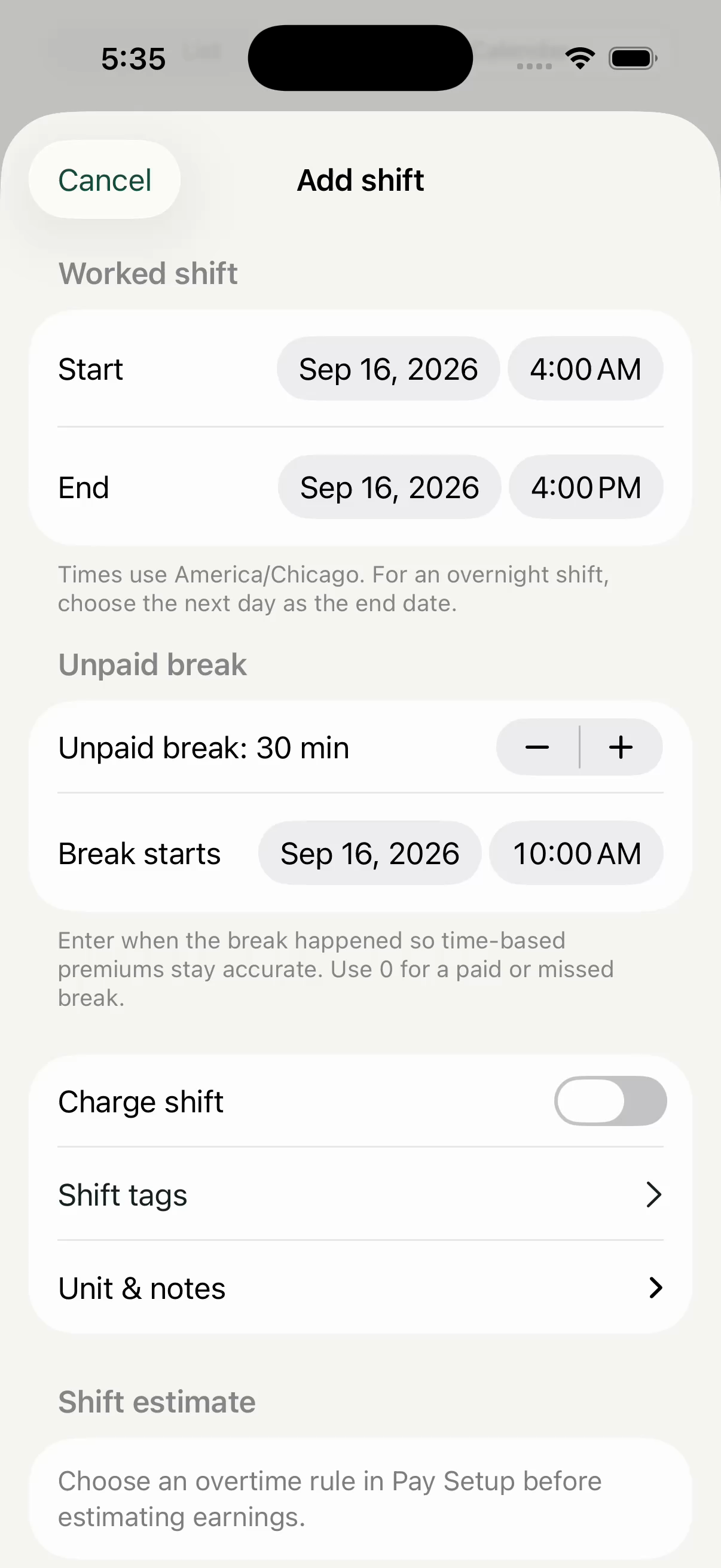
Capture start and end times, unpaid breaks, and the details that affect your pay.
Compare your paycheck with the shifts and pay rules you entered. See which earnings need a closer look, keep the details, and bring a clearer question to payroll.
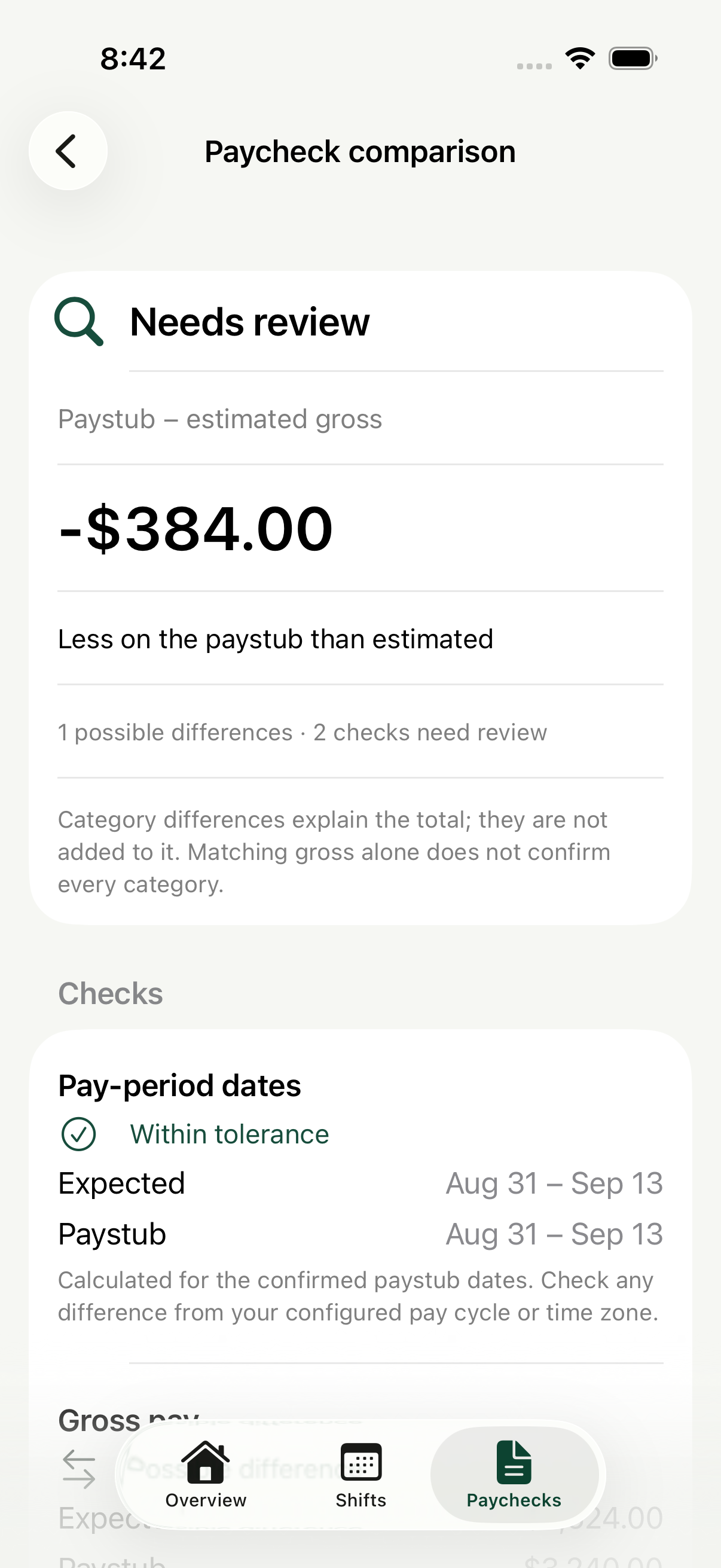
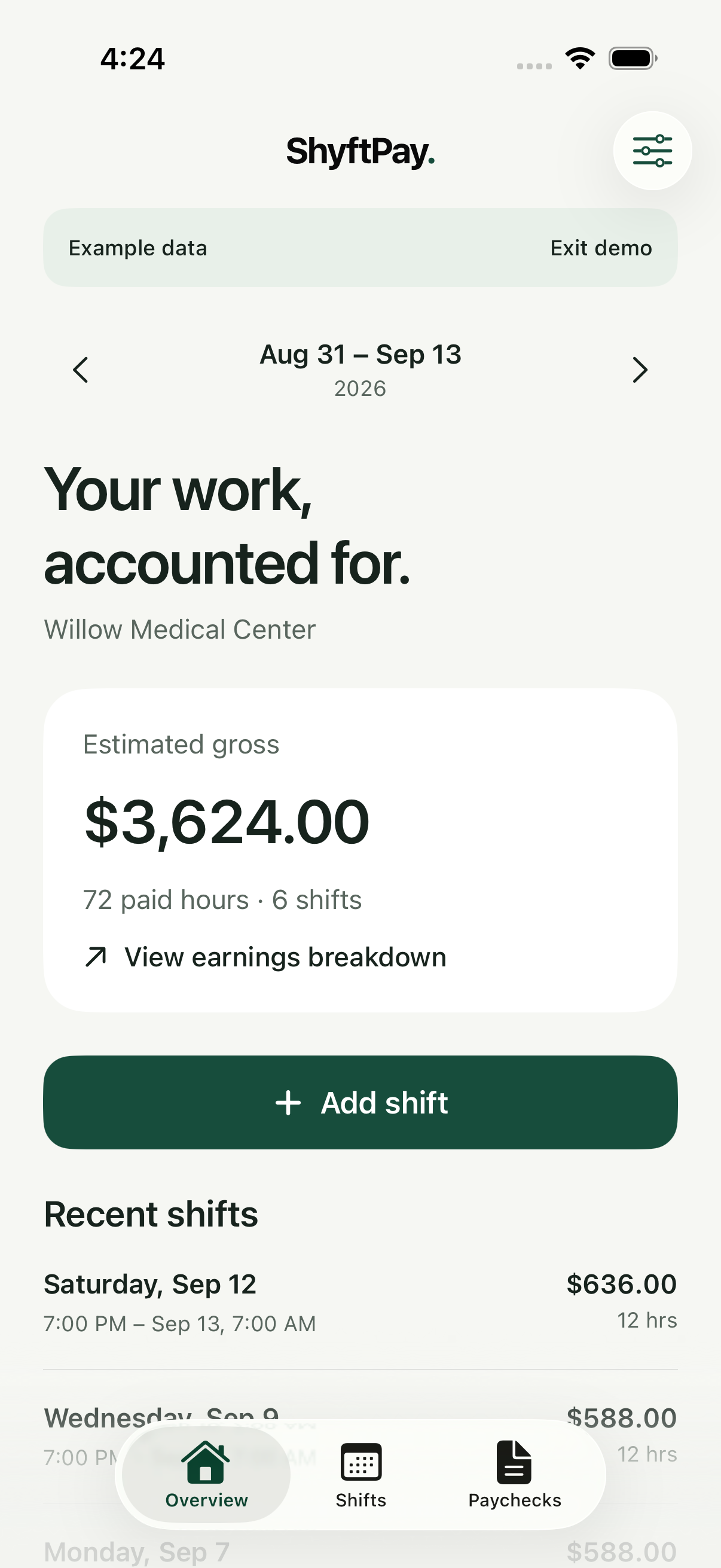
When the details live in three different places, the full picture gets lost. ShyftPay puts your shifts, pay rules, and paycheck review together.
Capture start and end times, unpaid breaks, and the details that affect your pay.
Use your configured overtime and differential rules to understand estimated gross earnings.
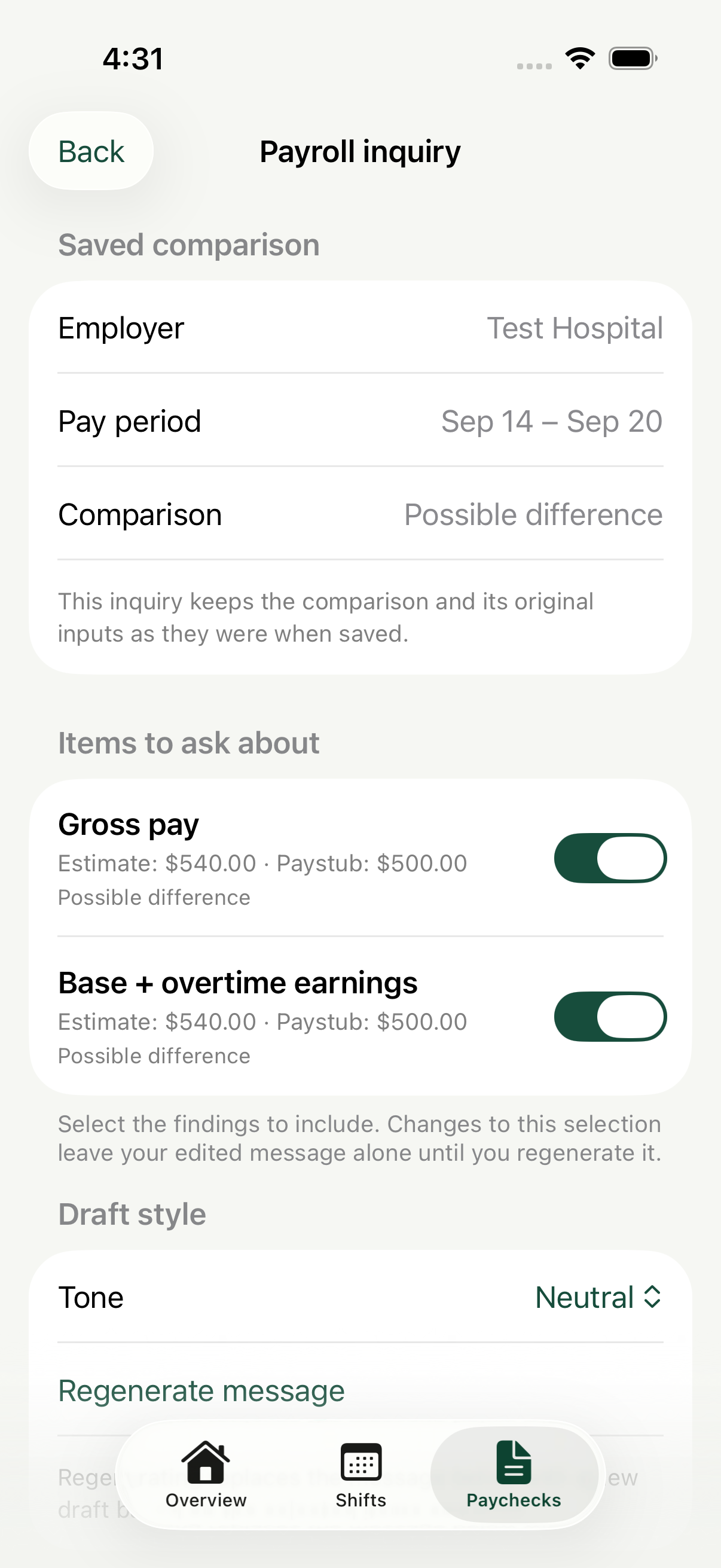
Compare confirmed paystub fields with your record, then draft a clear question when something needs review.
A difference on your paystub deserves context. ShyftPay shows the estimated and entered amounts side by side, keeps a snapshot of each comparison, and helps you put a payroll question into words.
ShyftPay is built around a private, local ledger. There is no account to create and no paystub upload to a ShyftPay server.
Workplace rules, shifts, paystub fields, comparisons, and inquiry drafts stay on your iPhone.
Create a password-protected backup when you want a portable copy of your full ledger.
Imported fields are suggestions to review. Estimates help you ask questions; they do not decide what you are legally owed.
Keep logging and understanding your work at no cost. Plus opens more ways to review and share.
$0
No account. No card required.
$4.99 / month
Or $39.99/year. Prices shown in USD.
Plus subscriptions are purchased in the iPhone app through Apple. Final price and terms appear in Apple’s purchase sheet. A subscription renews unless canceled.
No. It estimates gross earnings from the shifts and pay rules you enter. It does not calculate taxes, deductions, or net pay.
Yes. Shift tracking, estimates, one new paycheck comparison per device, unlimited rechecks of previously compared paychecks, saved record access, and personal backup are free.
Your saved shifts, paystubs, comparisons, and inquiries remain available to read and edit. Free comparison limits apply to new paychecks, and PDF/CSV inquiry exports require Plus.
No ShyftPay server receives your ledger. Text suggestions from imported photos or PDFs are processed on your device. Review every suggested field against the original before confirming.
You can create a password-protected backup of your ledger and restore it on another iPhone with ShyftPay. Keep the file and password safe; a forgotten backup password cannot be recovered.
See how ShyftPay compares on paycheck review, saved records, and price.